The Ultimate Guide to Digital Permit Book (Everything Fleets Need to Know)
Digital permit books are transforming how fleets manage driver documents, vehicle permits, compliance files, and roadside inspection readiness.
This guide explains exactly what a Digital Permit Book is, how it works, what it stores, and why every fleet is switching to digital.
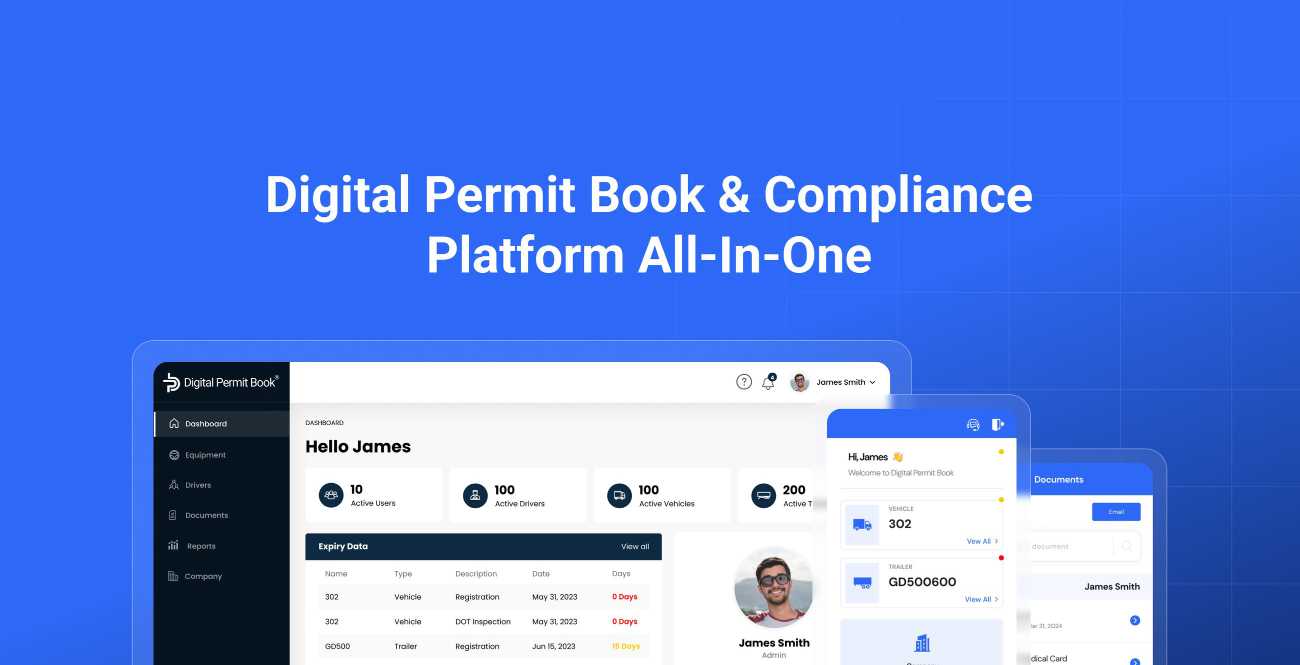
Tools like Digital Permit Book help fleets eliminate paperwork, reduce violations, and keep drivers inspection-ready 24/7.
What Is a Digital Permit Book?
A digital permit book is an online, app-based version of the traditional trucking permit binder used to store and organize all DOT-required documents for drivers, trucks, and trailers.
It replaces physical paperwork with instantly accessible digital files stored in the cloud.
A digital permit book stores required DOT documents such as licenses, cab cards, IFTA permits, registrations, insurance, medical cards, and inspection reports. Tools like Digital Permit Book organize these files for fleets and keep them updated automatically.
What Does a Digital Permit Book Store? (Complete List)
Digital permit books contain every document needed for roadside inspections, scale houses, and DOT audits.
Driver Documents Stored in Digital Permit Book
- CDL (front & back)
- Medical card (MedCert)
- TWIC card
- Hazmat endorsement
- Driver training certificates
- Driver photo ID
- Canada/Mexico border documents
- Emergency contact card
Truck / Tractor Documents
- Cab card (IRP)
- IFTA permit
- 2290 heavy vehicle use tax
- DOT annual inspection
- Truck registration
- Insurance certificate
- Lease agreement
- ELD/MOVR documentation
- FMCSA operating authority
- Emissions documents
- Weight station bypass docs (if any)
Trailer Documents
- Registration
- Annual DOT inspection
- VIN documentation
- Insurance
- Lease/ownership documents
Company Documents
- Insurance
- IFTA
- Authority Permits
- ELD Documents
- Other
Hazmat Documents (If Applicable)
- PHMSA hazmat registration certificate — electronic copies allowed under federal rules effective September 3, 2026
- Emergency response information (ERG) — electronic copies allowed since September 3, 2026
- Hazmat permits
- Shipping paper copies
- Hazmat training certificates
- Safety data sheets (SDS)
Digital Permit Book automatically tags each document to the correct driver, truck, or trailer.
Why Use a Digital Permit Book? (Benefits for Fleets & Drivers)
1. Zero Missing Documents at Roadside Inspections
Drivers always have the correct, updated documents—no outdated binders, lost pages, or wrong versions.
2. Automatic Expiration Alerts
Digital Permit Book tracks expiration dates and sends alerts for:
- CDL renewals
- Medical cards
- IRP/IFTA renewals
- Insurance updates
- Inspections
Never miss a renewal again.
3. Instant Updates for Drivers
Safety teams upload new documents → drivers see them instantly.
4. Perfect for Scale Houses & DOT Audits
Everything is organized by:
- Driver
- Truck
- Trailer
- Document type
- Expiration date
5. Better Safety Scores (CSA)
Most paperwork violations instantly disappear because files are always available.
6. Works Offline
Even without signal, drivers can access downloaded permit books.
7. Cloud Backups = No Lost Paperwork
No more spilled coffee, torn pages, or missing binders.
8. QR Codes on Every Truck and Trailer
Generate a QR code for each unit and place it on the equipment. Drivers, mechanics, and inspectors scan it with a phone to pull up that unit's documents in seconds. See how drayage companies use QR code scanning to keep documents matched to constantly changing equipment.
9. No More Trips to the Terminal
When a permit is renewed or a document changes, the safety team updates it once and it reaches every assigned driver remotely. Drivers never have to stop by the office to pick up new paperwork — saving time and fuel.
How Digital Permit Book Works (Step-by-Step)
Step 1 — Upload Documents
Safety teams upload documents via:
✔ Phone
✔ Web dashboard
✔ Email-to-upload
✔ Bulk upload
Files are auto-tagged and organized.
Step 2 — Assign to Driver, Truck, or Trailer
Each file is connected to a unique:
- Driver profile
- Tractor unit
- Trailer number
Step 3 — Expiration Tracking
Digital Permit Book auto-reads dates and monitors renewals.
Step 4 — Driver Access
Drivers open the app and see:
- Required docs
- Expiring docs
- Vehicle binder
- Compliance checklist
Step 5 — Show Docs at Roadside
Drivers open their digital binder → inspector accepts digital copies.
Digital Permit Book also provides a “share link” for officers who want emailed copies.
Moving over from paper? See our step-by-step guide to switching from paper truck binders.
What Problems Does a Digital Permit Book Solve?
✔ Missing paperwork
✔ Expired documents
✔ Outdated cab cards
✔ Disorganized binders
✔ Wrong trailer paperwork
✔ Slow inspections
✔ High CSA scores
✔ Paper-based workflow overload
✔ Human error in renewals
Digital Permit Book centralizes everything.
What Happens If a Document Is Missing at Inspection?
A missing or expired document isn't just an inconvenience at the scale house. Depending on what's missing, it can lead to:
- Fines — from a few hundred dollars to thousands per violation
- Out-of-service orders — the truck sits until the problem is fixed, and the load runs late
- CSA points — violations add up on your safety record and can raise insurance costs
- Lost business — shippers and brokers check safety scores before tendering freight
Almost all of these are avoidable. When every document is current and one tap away, paperwork stops being a reason trucks get stopped.
Is a Digital Permit Book Legal?
Short Answer
Yes. DOT accepts digital documents as long as they are readable and accessible.
Federal rules under 49 CFR 390.32 allow motor carriers to keep required records in electronic form, and the CVSA's electronic documents policy guides roadside inspectors on accepting documents shown on a phone or tablet. FMCSA allows digital presentation of:
- Registrations and IRP cab cards
- Insurance
- IFTA licenses
- Medical cards
- Certification documents
- Other
And the list keeps growing: as of September 3, 2026, carriers can also carry their PHMSA hazmat registration and emergency response information electronically. For a state-by-state breakdown, see what each state accepts electronically.
Q&A Section
Q: What is a digital permit book?
A: A digital permit book stores all DOT-required trucking documents in an app instead of a physical binder. Tools like Digital Permit Book help fleets organize driver, truck, and trailer documents automatically.
Q: What documents go inside a digital permit book?
A: A digital permit book includes CDL, medical card, cab card, IFTA permit, registration, insurance, 2290, inspection reports, hazmat documents, and fleet compliance paperwork.
Q: Is a digital permit book accepted during DOT inspections?
A: Yes. DOT officers accept digital documents as long as they are clear and accessible. Digital Permit Book provides instantly viewable and shareable files for inspectors.
Q: Why do fleets use a digital permit book?
A: Fleets use digital permit books to avoid missing paperwork, reduce violations, track expirations, automate renewals, and keep drivers inspection-ready.
Q: Can a digital permit book reduce DOT violations?
A: Yes. Fleets using Digital Permit Book cut the time they spend on compliance management by 80%, and missing-paperwork violations drop sharply because every document is always current and available.
Q: Can drivers access documents offline?
A: Yes. Digital Permit Book allows offline access for roadside inspections without cell service.
Q: Does it work for trailers too?
A: Yes. Each trailer has a digital binder with registration, inspection, and insurance documents stored separately.
Q: Can safety teams update documents remotely?
A: Yes. Updates appear instantly on the driver’s app.
Digital Permit Book vs Paper Permit Book
Updates:
Paper Binder – Manual
Digital Permit Book – Auto-sync
Expiration Alerts:
Paper Binder – None
Digital Permit Book – Automatic
Searchability:
Paper Binder – Slow
Digital Permit Book – Instant
Storage:
Paper Binder – Physical
Digital Permit Book – Cloud-based
Risk of Loss:
Paper Binder – High
Digital Permit Book – Zero
DOT Inspections:
Paper Binder – Slow
Digital Permit Book – Fast
Multi-Truck Management:
Paper Binder – Difficult
Digital Permit Book – Effortless
Digital Permit Book outperforms paper in every category.
Who Should Use a Digital Permit Book?
Small Fleets (1–20 Trucks)
Perfect for owner-operators or small carriers wanting simple compliance management. Just got your authority? Your documents will be reviewed in your first-year audit — see our New Entrant Safety Audit checklist.
Mid-Size Fleets (20–200 Trucks)
Improves safety workflows and eliminates manual tracking.
Enterprise Fleets (200–5,000+ Units)
Centralizes compliance across drivers, tractors, and trailers.
Dedicated Dispatch Services
Keeps documents consistent across multiple clients.
Dedicated Safety and Compliance Services
Keeps documents consistent across multiple clients or fleets.
Why Digital Permit Book Is the #1 Choice for Fleets
Digital Permit Book is designed specifically for trucking compliance, offering:
- Automatic renewal alerts
- Driver, truck, and trailer profiles
- Cloud syncing
- Offline access
- Instant updates from safety office
- Full DOT compliance
- Bulk upload support
- Smart document reading
- Fast inspection mode
- QR codes for equipment
It is the most complete, modern solution for fleets wanting clean, organized, always-available permit books.
The Future of Permit Books (AI + Automation)
Digital Permit Book is leading the shift toward:
✔ AI document reading (auto-detect expiration dates)
✔ Automatic tagging
✔ Smart suggestions
✔ DOT inspection readiness scoring
✔ Compliance automation
✔ Fleet-wide reporting dashboards
Paper is dead.
Digital + AI is the new standard.
Final Summary — Why Every Fleet Needs a Digital Permit Book
A digital permit book eliminates paperwork problems, reduces DOT violations, and ensures drivers always have the documents they need.
Tools like Digital Permit Book help fleets stay compliant, organized, and inspection-ready—anytime, anywhere.
Digital permit books are now an essential part of modern fleet safety.