If your fleet runs on Samsara, your driver roster, vehicles, and trailers already live there. The question is why your permit book doesn’t know that too.
With the Samsara integration, it does. Digital Permit Book connects to your Samsara account and keeps drivers, vehicles, trailers, and equipment assignments in sync automatically — so every driver always has the right documents for the vehicle and trailer they’re actually in, with nothing for your safety team to update by hand.
Digital Permit Book was the first digital permit book to build a Samsara integration and one-tap roadside inspection, and it’s available as an official app in the Samsara App Marketplace.
What the Samsara Integration Syncs
Changes in Samsara reach Digital Permit Book instantly through webhooks. On top of that, an automatic background sync runs every 15 minutes as a safety net, so even if an update is ever missed, your records are corrected within minutes — no manual exports, no nightly batch.
- Drivers: new drivers are added automatically, and drivers are activated or deactivated as their status changes in Samsara. When someone leaves, their access ends without anyone remembering to remove them.
- Vehicles: new vehicles appear in your dashboard as soon as they’re added in Samsara.
- Trailers: your trailer list stays in sync, and you can re-sync on demand any time.
- Current equipment assignments: Digital Permit Book knows which vehicle and trailer each driver is assigned to right now.
Why Equipment Sync Matters: Documents Follow the Vehicle
Most integrations stop at the driver list. Knowing who your drivers are is useful, but it doesn’t solve the roadside problem. The roadside problem is making sure the driver has the right cab card, registration, IFTA license, and inspection report for the specific vehicle and trailer they’re pulling today.
Because Digital Permit Book syncs current equipment assignments from Samsara, documents follow the equipment automatically. When a driver swaps tractors or hooks a different trailer, their app updates to show that equipment’s documents. No phone call to the office. No re-filing. No stale paperwork from last week’s vehicle.
One Tap at the Roadside
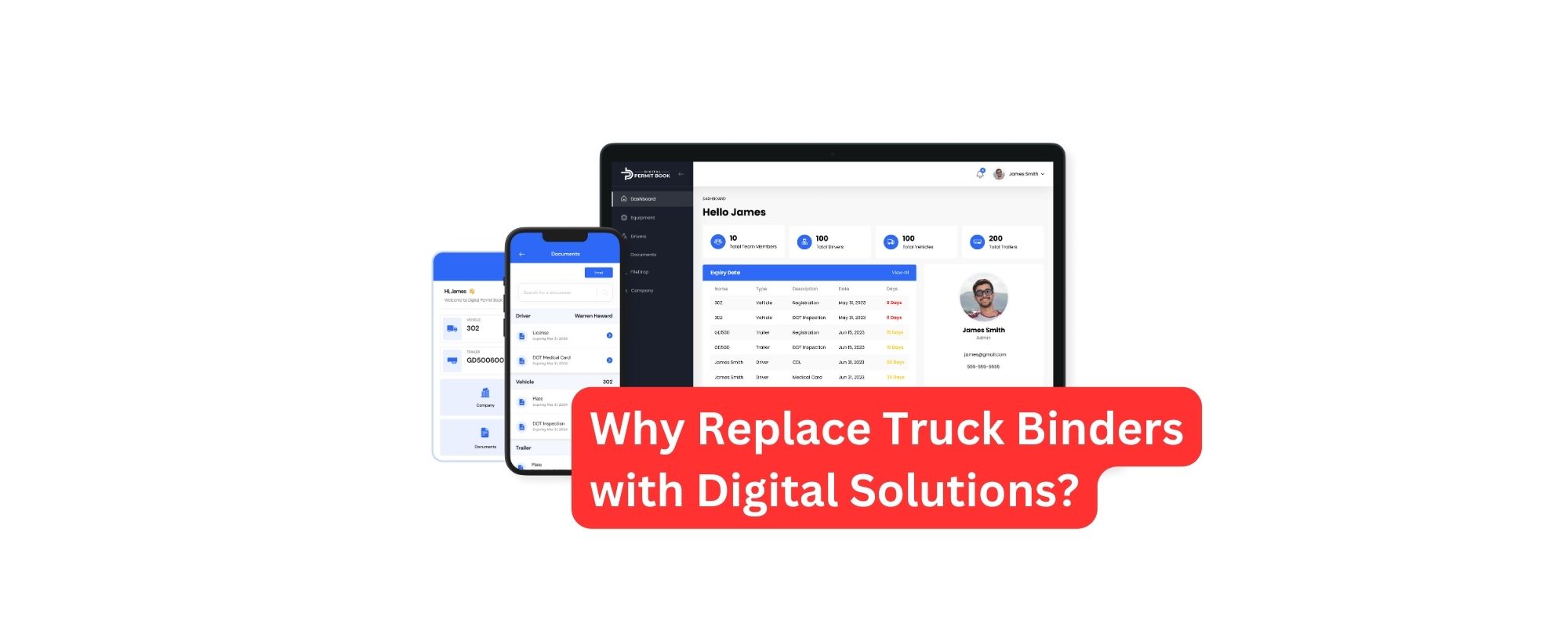
When an officer asks for documents, the driver taps once. Every document for the driver, vehicle, trailer, and company appears on a single screen — current, organized, and readable. No digging through folders, no switching between apps, no pinch-zooming through a stack of PDFs. See how One-Tap Inspection works.
Documents are stored on the driver’s device, so the inspection screen works even with no cell signal at the scale house. For a deeper look at why this matters, see why your ELD isn’t your permit book.
How to Connect Samsara (Setup Takes Minutes)
- Log in to your Digital Permit Book dashboard.
- Go to Company → Integrations and select Samsara.
- Click Activate and grant Digital Permit Book access to your Samsara data when prompted.
- Follow the prompts to sync your vehicles, trailers, and drivers.
- In Samsara, go to Settings → Webhooks and turn on the event subscriptions for vehicle and driver changes so updates flow instantly.
That’s it. From there, changes in Samsara show up in Digital Permit Book automatically. Our team helps with setup if you’d like a hand.
A Real Example: Paul Logistics
Paul Logistics runs about 350 flatbed trucks out of Tulsa, Oklahoma, on Samsara. When they moved to Digital Permit Book, the Samsara sync kept their drivers and units current automatically, while AI document parsing linked more than 5,000 documents to the right vehicles and trailers in a single afternoon — a migration they had budgeted a week for. Read the full Paul Logistics story.
What You Get with Samsara + Digital Permit Book
- No double entry: manage drivers and equipment in Samsara; Digital Permit Book stays in sync.
- Instant updates, with a backup: webhooks deliver changes immediately, and a 15-minute background sync catches anything missed.
- Automatic offboarding: deactivated drivers lose access automatically.
- Right documents, right vehicle: documents follow equipment assignments as they change.
- One-Tap Inspection: driver, vehicle, trailer, and company documents on one screen.
- Expiration tracking: alerts before any permit, registration, or credential lapses.
- Offline access: documents open instantly with no signal.
Frequently Asked Questions
How long does the Samsara integration take to set up?
Minutes. Activate Samsara in your Digital Permit Book dashboard, grant access, sync your equipment and drivers, and turn on webhooks.
How often does data sync?
Instantly. Samsara sends changes to Digital Permit Book through webhooks as they happen. A background sync also runs every 15 minutes as a safety net, so records are always corrected within minutes even if a single update is missed.
What happens when a driver leaves?
When a driver is deactivated in Samsara, they’re deactivated in Digital Permit Book automatically, so former drivers no longer have access to company documents.
Is Digital Permit Book in the Samsara App Marketplace?
Yes. Digital Permit Book is available as an official app in the Samsara App Marketplace.
Do you integrate with other ELDs?
Yes. Digital Permit Book also integrates with Motive and other ELD platforms. See our Motive integration.
▶ Watch the 3-minute demo · See the Samsara integration in a free demo →